Building my smart home on my own, with AI
I’ve always been interested in home automation. I’ve also been too lazy to actually give it a try. A combination of this post from Martin, some spare time and an interest in AI finally got me on my feet. This is an intro to what Claude and I built. The interesting stuff comes next. Feel free to skip this post if you already know what AI can do :)
Where it started
Months ago I decided to explore home automation through Home Assistant (HA). First thing was obvious: let’s install HA. I decided to use a Mac mini as the host. I opened Chrome, googled home assistant installation guide and clicked on this link. This is a ~2,200-word document that takes ~11 minutes to read. Laziness kicked in.
Why don’t these folks just give me a script to execute?
was my first thought.
I’ll just ask Claude to build a script and solve this for everyone
but little did I know AI had different plans.
Can I just ask Claude to run the installation for me?
Five minutes later, I was logged into my local Home Assistant installation :)
This was a big AHA moment for me back then.
Alright, alright, I did have to answer a few of Claude’s questions on the way. Did I know whether Claude had run every step properly? No. Did I know whether Claude had run code that was not in the guide? Also no, but I could check (I didn’t).
What to build
Once I was in, I wanted to build something. I could have started with a simple integration for a lamp, but I wanted to work on something that would provide me with visibility I didn’t have.
One of the things that struck me about Martin’s post was energy consumption and cost tracking. At home my partner takes care of paying the water, gas and electricity bills. We had recently discussed how to optimize the electricity bill. So I thought that maybe someone had built an integration with my electricity company that allowed me to retrieve the data once a month without having to ask my partner.
I was wrong, but in a good way. I googled and came across homeassistant-edata, an integration for Spanish energy data providers like datadis. Datadis is a free digital platform created by Spain’s electricity distribution companies. It centralizes and simplifies access to electricity consumption data. Using homeassistant-edata I could connect to datadis and get:
- Consumption for the last month (including a breakdown by the hour)
- Consumption for the current month
- Invoice figures for last and current month (again, including a breakdown by the hour)
- Max power registered
This looked interesting. I could finally understand how we consume energy and how much we pay for it.
How to build
Since Claude was able to install HA for me, it should be able to install apps on top. The question was how to connect Claude with Home Assistant.
The answer would change over time, but the first answer was another app: claude-code-ha. This one I had to manually install, bummer.
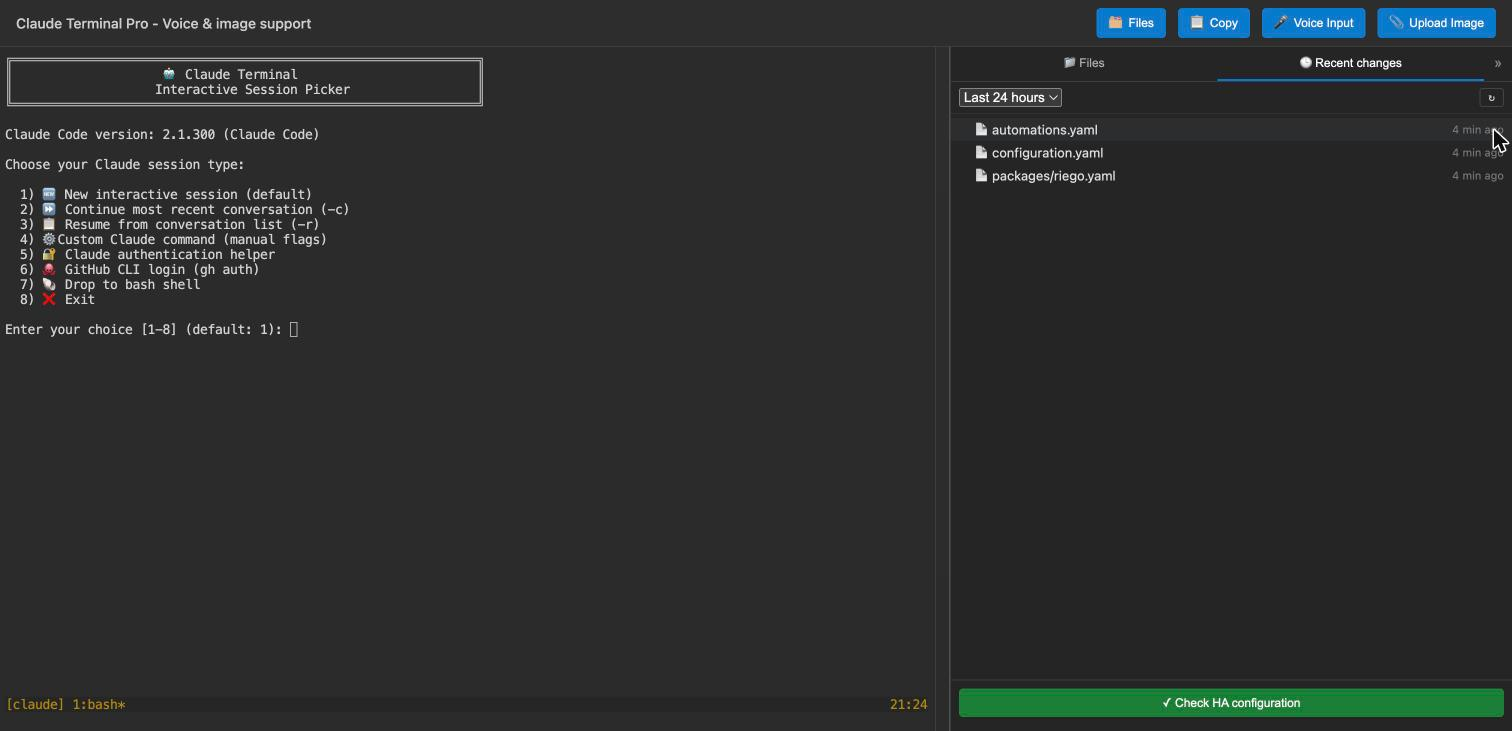
Using remote-control I was able to start a session on HA and control it from my laptop or phone. As the Claude session ran inside HA, it had full access to the configuration files, and an MCP server allowed it to reboot HA. This was great (for a while)!
What I got
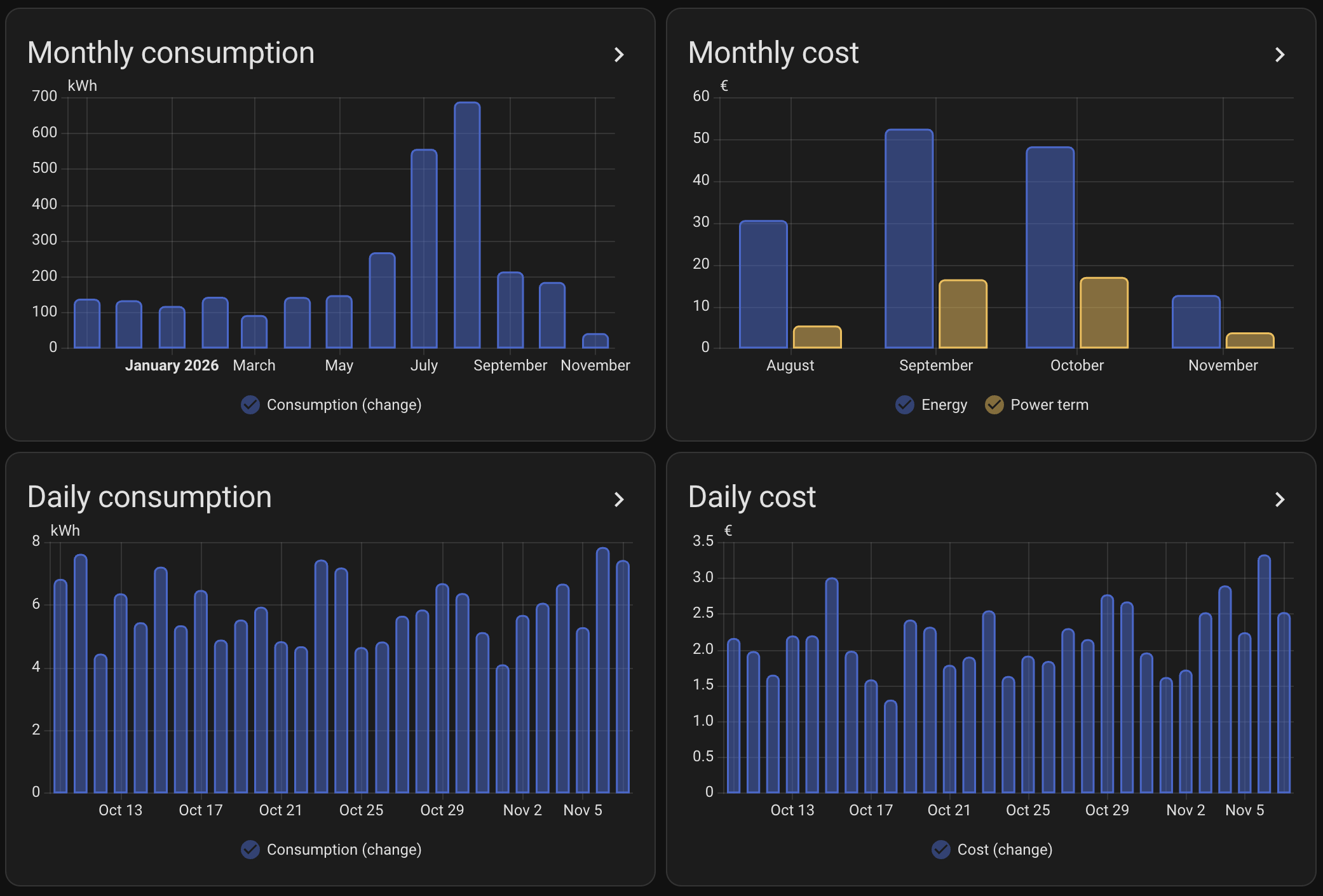
A few prompts later, a full dashboard that meets my goals was part of HA. I didn’t touch one yaml file, executed one command nor had to understand how things worked in HA to build this. This was 100% AI.
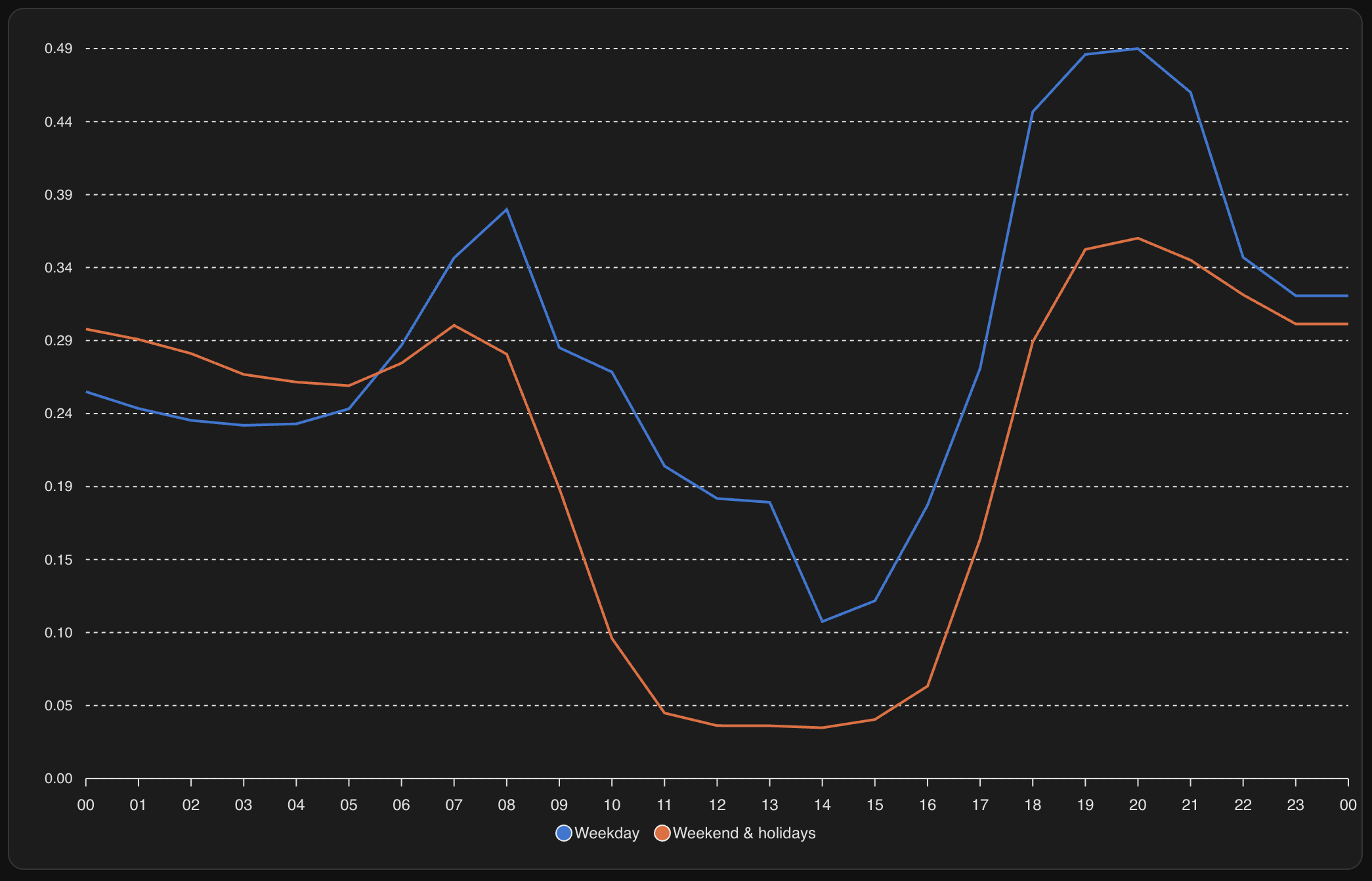
Furthermore, I was able to get energy prices across the day given that I’m on PVPC.
I can compare those to my consumption across the day:
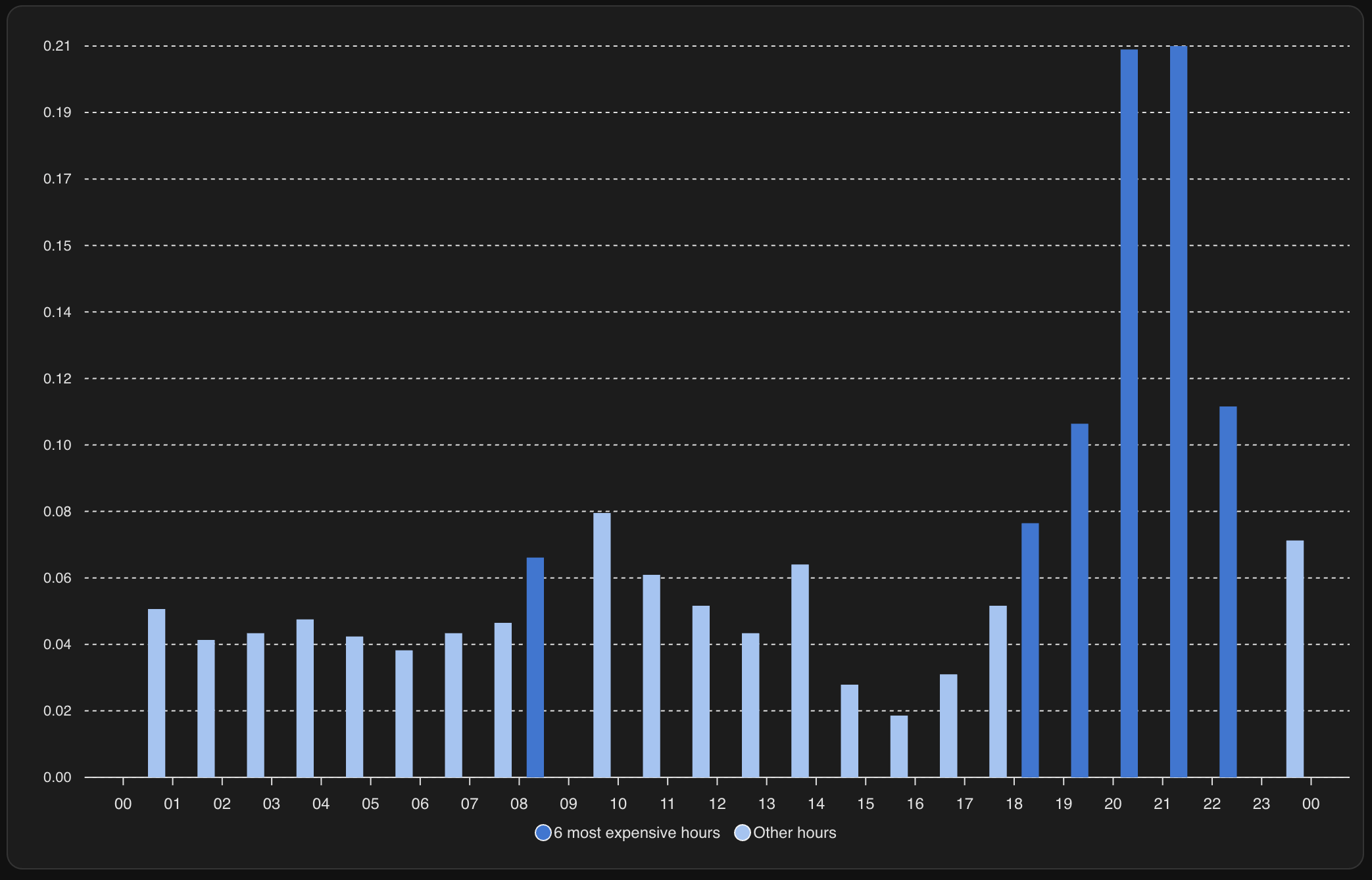
These helped me learn a few things and come up with optimization opportunities (details on those will come next):
- The AC usage during July and August really spiked consumption. Worth every cent.
- Energy in Spain is really cheap during the afternoon in summer. I think this is driven by solar power. I used to think nights were cheaper. I was wrong.
- Can I move some of the consumption happening at ~8pm to ~2pm? Is there an opportunity with the dishwasher?
- Can I move some of the consumption to the weekend? Is there an opportunity with the washing machine?
It’s a wrap
If you got this far, thanks and congrats! Now for my learnings, probably nothing new for the majority of the world:
On the usage of AI
- Claude 1, My Laziness 0.
- Claude Code can execute things for me.
- I can run Claude sessions on one machine and control them from another.
On energy consumption
- Energy prices vary by day and hour. Prices for the next day are published the day before.
- I can optimize cost by running things when energy is cheaper.
- Datadis refreshes with a two-day delay. This is OK for me.